Desktop beta 0.9.4
Test results
What Optimus catches and what it misses.
Both models flagged the whole image or a region on 41 of 48 generated originals and 0 of 48 real originals. In off-center browser previews they flagged 16 of the 48 generated pictures. On the document-edit test, they agreed on 0 of 24 edited cards.
Fresh test on 128 images
We ran the downloadable 0.9.4 scanner on a second, previously untested sample of 64 generated images from 15 generator labels and 64 real photographs. It strongly flagged 43 of the generated images and one real photo. Of the remaining 21 generated images, 18 produced mixed results and three produced a low result. These are counts on this sample. They do not estimate how often an alert will be correct in your business.
Images and screenshots
We selected 48 labeled generated images across 16 generator labels and 48 photographs from DOCCI and ImageNet before scoring. These 96 records came from the OpenFake core test split and were distinct from our previous beta evaluation. Each image was tested five ways, for 480 scans. The two models used the same decision thresholds in both versions.
| Input | Generated images | Real photographs | ||||||
|---|---|---|---|---|---|---|---|---|
| Whole | Region | Mixed | Low / limited | Whole | Region | Mixed | Low / limited | |
| Original | 32 | 9 | 5 | 2 | 0 | 0 | 3 | 45 |
| JPEG Q45 | 26 | 8 | 9 | 5 | 0 | 1 | 3 | 44 |
| Off-center crop | 28 | 6 | 9 | 5 | 0 | 1 | 4 | 43 |
| Framed screenshot | 18 | 7 | 16 | 7 | 1 | 0 | 0 | 47 |
| Off-center browser preview | 0 | 16 | 15 | 17 | 0 | 0 | 1 | 47 |
Whole means both models flagged the selection. Region means both agreed on the same smaller area. Mixed means one flagged the selection. Low or limited means neither produced a strong signal or the picture had too little detail. Agreement on a real photograph is a false alarm. The framed screenshot produced one such alarm.
On the same off-center previews, the 0.9.3 headline flagged 0 of 48 generated pictures. Version 0.9.4 surfaced a regional signal on 16, with none on the corresponding 48 real previews. On centered, framed screenshots the count rose from 18 to 25. Warm image detection alone on the test machine took 1.5 seconds at the median and 3.3 seconds at the 95th percentile. Text reading adds time. Hardware and crop size affect timing.
OpenFake benchmark · Detectra research code · Frontier model and calibration
Edited identity documents
We separately tested the official FantasyID test archive. The sample covered 24 edited research cards, eight each from the three manipulation groups, and 24 unmodified cards drawn evenly from three capture devices. These are fictitious cards designed for research.
Of 24 edited cards, 0 showed whole-image or regional agreement, 5 gave mixed results, and 19 yielded no strong signal or insufficient detail. On 24 unmodified cards, 0 showed agreement and 6 gave mixed results. A low result cannot establish that a document is genuine. This release does not authenticate IDs or verify the identity of the presenter.
Idiap FantasyID archive · Research paper
Training experiments
We trained a separate image detector on 714 examples from DiffusionDB and Google Open Images. On the fresh 128-image test it caught no additional generated images. We also trained an ID detector on 1,521 FantasyID images. On held-out cards it flagged only 32 of 350 alterations and none of 201 unmodified images at original quality. After JPEG compression it falsely flagged 26 of those 201 unmodified images. We kept both experimental detectors out of the desktop release.
DiffusionDB generated images · Google Open Images photographs · FantasyID altered documents
Additional open-model comparisons
On the same 48 generated and 48 real originals, the standalone PE-Tiny checkpoint flagged 36 generated and 17 real. The standalone int8 ViT flagged 39 generated and 2 real. Each ran locally using its published preprocessing and decision rule. These checkpoints were evaluated separately from the shipped detector.
PE-Tiny model card · Int8 ViT model card
Try a scan
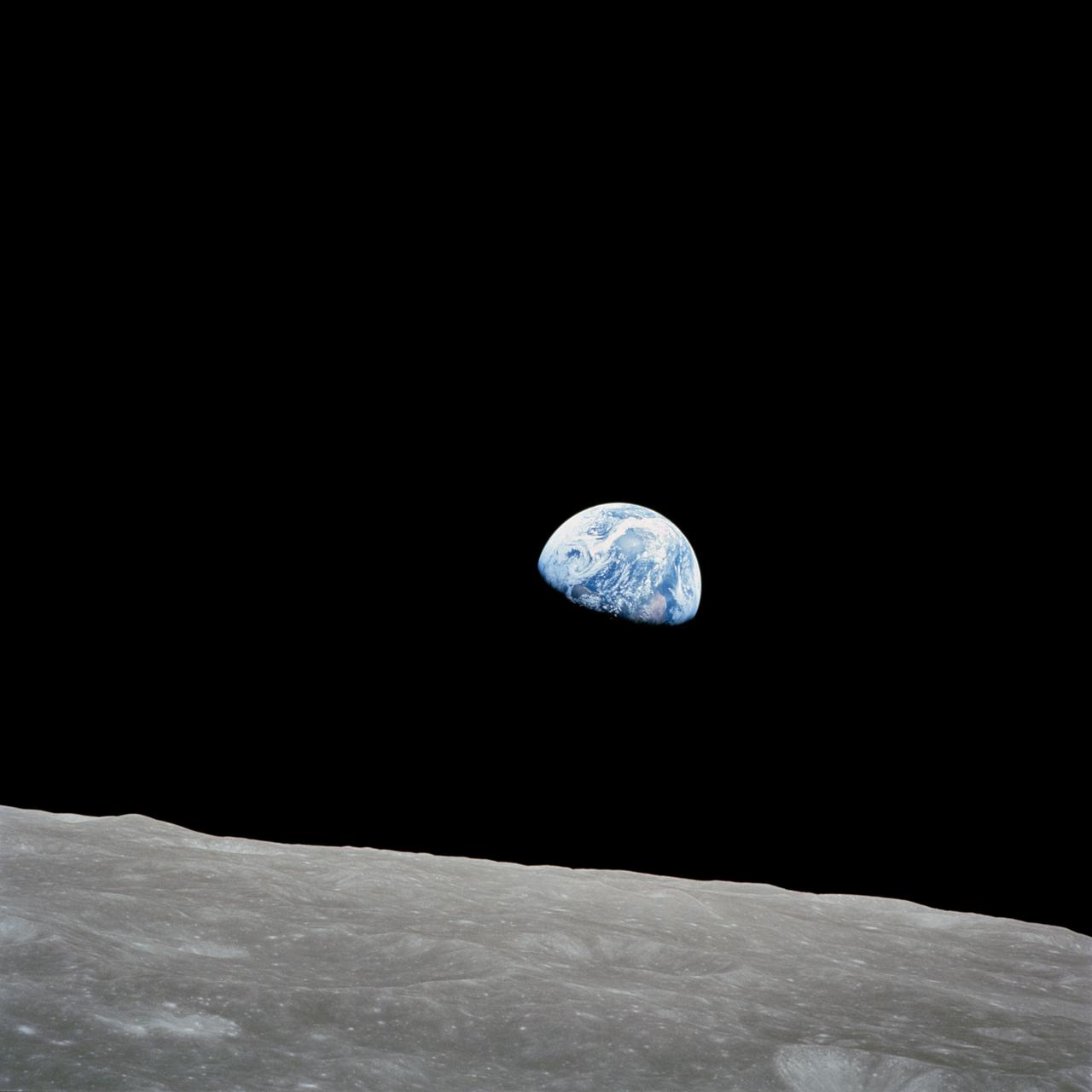
Press Ctrl Shift A and drag around the picture below. The author documented its Stable Diffusion origin. Both models flagged the original file in our test. The result can change when a browser resizes the picture.
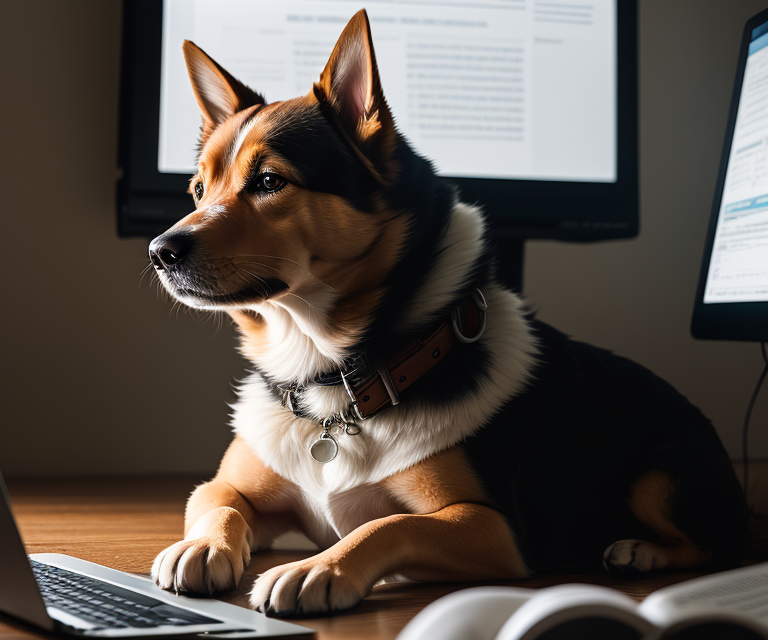
Download the generated reference · Download the Apollo 8 reference photograph
Try a document scan
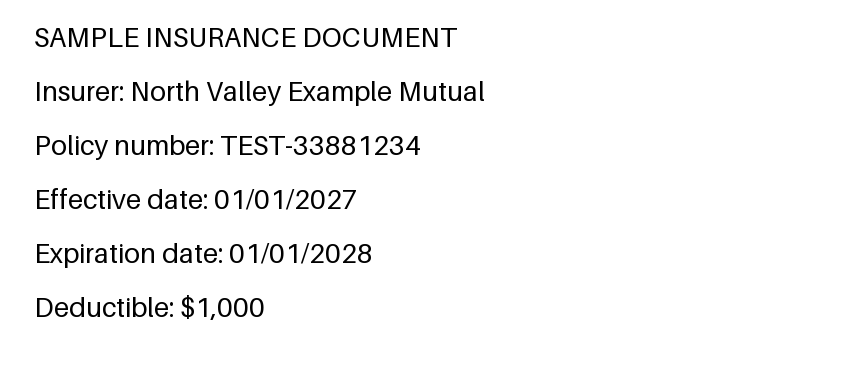
Press Ctrl Shift A and drag around the sample below. A small card should show the January 1, 2028 expiration. Choose Details to see North Valley Example Mutual, the coverage dates, a policy number ending in 1234 and the $1,000 deductible.
Document reading
The reader works on visible printed English text. It can organize labeled insurance, ID and invoice fields and quote short excerpts from other documents. We tested local reading on a sample policy, ID, invoice and memo, including compressed images, dark backgrounds, cropped-out fields and conflicting values. The results panel masks identifier values. Printed information does not establish that a document is valid or that coverage is in force.
We also tested the April 2024 FEMA declarations-page template and GSA’s blank SF 1034 voucher on Linux. The reader produced no filled values from the blank forms. In the FEMA header with fictional entries it read the policy period and masked the policy number. On an Intel Mac, the reader requested review for one sample invoice due date. Dense tables, glare or small print can cause missed or incorrect fields.
FEMA manual, appendix I, page I-4 · GSA voucher · Tesseract English data · Apple Vision
Desktop checks
On Windows we updated a running 0.9.3 installation through the setup wizard and verified the previous tray app exited. The result card left keyboard focus in the original application. All four release packages ran an installed document scan with outbound connections blocked. We exercised the shortcut on an extended desktop, including a secondary display to the left of the Windows primary display. We compared the selected pixels for a reverse drag across the seam. On X11, the tests also disconnected an output during a gesture and verified a new crop on the remaining layout. These tests used OS-level virtual monitors. Color scaling and hardware can vary on a physical workstation.